How to Redeem Build a Boss Codes
Exact checklist for claiming promo rewards when taapr studios turns codes on — plus what to do while the list is empty.
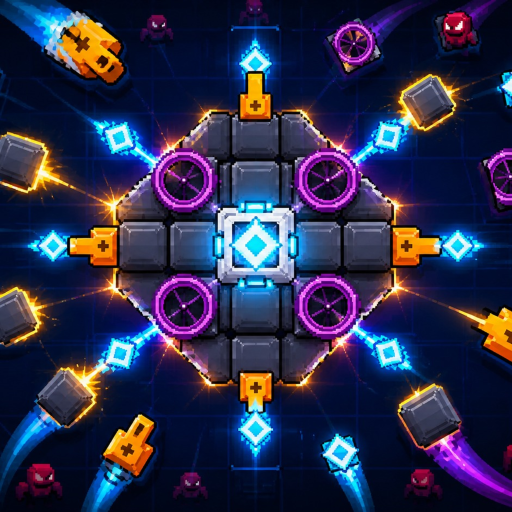
This guide walks through how to redeem codes in [ENDLESS] Build a Boss on Roblox. The experience is a 2D Ro2D boss builder from taapr studios: you assemble guns, lasers, and armor, then fight through 75 levels in 10 zones for cash, gems, and 3-star ratings. Promo codes — once they exist — are meant to dump free currency or parts into that loop so new players can kit a boss faster.
Important status check before you hunt for a button: there are no verified active codes as of September 2026. The Codes Hub active table is empty on purpose. This page still matters because the redeem flow is what you will use the day the first code drops, and because many players search “how to redeem” the moment a group shout appears.
Before you redeem anything
- Launch the real experience from the official Build a Boss game page (place 121716260544429, universe 10751887669). Do not use mirrored places with similar names.
- Stay logged into the Roblox account that should receive the rewards. Codes are almost always bound per account and cannot be shared after claim.
- Confirm the code string on the Codes Hub or an official taapr studios post. Copy it carefully — many codes are case-sensitive and include punctuation.
- Finish any mandatory tutorial prompts so the full HUD is unlocked. Some Roblox games hide gift menus until onboarding completes.
Step-by-step redeem flow (when the UI exists)
Roblox tycoon and builder games usually expose codes behind a labeled button. When taapr studios enables codes for Build a Boss, expect a pattern like this:
- Enter a live server (up to 10 players).
- Look for a Codes, Twitter, Gifts, or Rewards button on the main HUD — often near shop, settings, or currency counters.
- Open the panel and find a text field that accepts a promo string.
- Paste the code exactly. Avoid leading or trailing spaces from chat copy-paste.
- Press Redeem / Claim and wait for a success toast.
- Check cash, gems, and inventory. If a part was granted, equip it from your build menu before the next level run.
If you cannot find any codes button after a fresh join, codes are likely still disabled for the current build. Do not install browser extensions or mobile APKs that claim to “inject” redeem UIs — those are account-risk malware vectors, not official features.
Troubleshooting failed redemptions
| Symptom | Likely cause | What to try |
|---|---|---|
| Invalid / wrong code | Typo, expired string, or fake list | Recopy from the Codes Hub; check expired archive |
| Already redeemed | One-time per account | Normal — rewards will not grant twice |
| No codes button | Feature not shipped yet | Keep playing; recheck after patch notes |
| Rewards missing | UI lag or wrong account | Rejoin once; confirm currency on the correct profile |
| Soft lock after claim | Client desync | Leave and rejoin the server; avoid spam-clicking Redeem |
If a code works for friends but not for you, compare spelling character by character, confirm you are not on a private test place, and make sure you did not already claim it on an alternate account you forgot about.
What to spend rewards on first
Codes that grant cash should usually go into DPS or armor parts that help you 3-star the zone you are currently stuck on — not cosmetic flex pieces. Gems are scarcer; save them for shop rotations that clearly raise clear speed or survivability. After claiming, hop into a short practice clear to verify the new part is equipped and contributing. Pair freebies with the progression tips in Getting Started and the broader Guides Hub so you do not burn a rare gem drop on a dead-end upgrade.
While no codes are live
Use the downtime productively instead of refreshing rumor threads:
- Push star ratings on early zones — three-star clears teach the combat loop better than waiting for free cash.
- Compare part choices with community build talk once our Tier List pages expand.
- Follow Updates so you know when a patch is likely to include a celebration code.
- Join or watch the taapr studios group for shouts.
- Bookmark Official Links for the canonical game URL and wiki hubs.
Avoid “code generators,” paid Discord sellers, and YouTube descriptions that paste long random strings for games that have never published codes. Those lists are scrapers recycling other titles’ promos.
Safety and account hygiene
Redeeming an official code never requires your password, email code, or browser cookie. Anyone asking for those is phishing. Likewise, “auto redeem scripts” that need an executor fall under the same risk profile covered on the Scripts Hub: we have no verified game-specific scripts for Build a Boss, and we will not pretend otherwise.
Keep Roblox 2-step verification on, only redeem inside the official client, and treat this wiki’s Codes Hub as the living source of truth for working strings.
Related pages
- Codes Hub — active and expired tables
- Updates Hub — when drops usually coincide with patches
- Patch Notes — changelog tracker
- Scripts Hub — honest status on third-party tools
- Getting Started — earn cash and gems without codes
When the first real Build a Boss code appears, redeem it with the checklist above, then return here if anything fails so we can expand the troubleshooting table with studio-specific error text.
Frequently Asked Questions
Quick answers for Build a Boss players.
Where is the codes button in Build a Boss?
A dedicated Codes / Gifts button is not confirmed in the public build while no promo codes are active. When taapr studios enables codes, look near the main HUD shop and settings widgets, then follow this guide.
Can I redeem the same code twice?
Almost never. Roblox promo codes are typically one claim per account. A second attempt usually returns an already-redeemed error.
Do codes work on mobile and desktop?
If the official UI supports codes, they should work on any platform running the same Roblox place. Always redeem inside the real game client, not on a random website form.
What if I paste a code and nothing happens?
Check for spaces, confirm the string is still listed as active on the Codes Hub, rejoin once, and make sure you finished the tutorial so the full HUD is available.
Is it safe to use a third-party code redeemer?
No. Only redeem inside the official Build a Boss experience. Third-party redeemers often harvest cookies or push executors that can ban your account.